What if you could build apps with AI that solve the exact problems in your business – instead of settling for software that almost fits?
I can build my own apps now.
And I don't write a single line of code.
Claude does the building.
I do the thinking.
I want to be clear about one thing, because it'd be simple to make this sound like magic.
It isn't. It still takes real work.
The brainstorming, the planning, the testing, the tweaking to get it right.
It's not easy. But it's doable now, and a year ago it wasn't.
For years, everything about building an app stopped me before I got going.
I'm not a coder, so I couldn't build it myself.
A team of developers cost a fortune.
I'd been burned before, so I was wary of picking the wrong people and getting stung again.
And I didn't have the know-how to tell if I was in good hands.
All of that is real when you do it the old way.
Now I do it on my own time.
I bring the vision. The ideas.
I brainstorm, I problem-solve, I test it hard.
I'm the human in the loop.
And Claude works out the technical side and builds the whole thing.
There was one more thing that used to stop me, though.
Even when I'd built something, I had no idea how to get it live.
So I sat with Claude, tried a few things, and after a few hours I had my first app live.
Hosted. Running around the clock.
And now that part's sorted, I can get any new app I build live in minutes.
The thing that used to stop me before I'd even started is just gone.
Five apps running inside my business now.
My first public one, for my clients, went live weeks ago.
Real problems – in my business and my clients' – are getting solved, and it's changing how I, my team and my clients work.
If building your own apps still feels beyond you, this is the one to listen to.
I walk through how I go about it, and how I got to a setup that keeps them live, stable and secure.
Listen in – it might change what you think is possible for you.
KEY TAKEAWAYS: What I’ve Learned as I Build Apps with AI
- AI Lets You Build Custom Apps Without Coding Expertise: Even if you have minimal technical background, it’s now possible to design and launch your own self-hosted business apps using AI tools like Claude. I’ve replaced expensive paid software and filled gaps where “off-the-shelf” solutions didn’t exist – all at a fraction of the cost, and without writing a single line of code myself.
- Set Up Your Infrastructure Once, Then Rapidly Deploy New Apps: The real breakthrough is about having the right architecture in place. With a virtual private server, Docker, GitHub, and especially a management tool like Coolify, you can build your own app server. After that initial setup, rolling out new tools for your business is fast, repeatable, and doesn’t require a developer.
- Start Small, Solve Real Problems, and Scale Up: I didn’t start with flashy or massive projects. I chose problems that really mattered – like securely backing up critical data, automating meeting transcriptions, and streamlining calendar syncing for clients. By focusing on quick wins and valuable solutions, you gain the confidence to automate and optimise more areas in your business, creating real value and efficiency.
BEST MOMENTS: Reflections on What It Takes to Build Apps with AI
00:10 – 💬 “I never thought in a million years I would be able to build self-running apps, like proper applications that replace some of the paid software that I have or fill gaps where I couldn't find software to do the thing that I wanted to.”
05:49 – 💬 “So the idea of me being able to build a tool that does something super useful in a far better way than anything else available in the market was totally overwhelming. I had no idea how to do it, how to get started, and thought it would be impossible. However, I've got a brilliant AI coach.”
24:09 – 💬 “I'm just building really useful tools that myself and my clients can use to improve the way we're working together or improve the security of my business.”
TIMESTAMPED OVERVIEW
00:00 Intro: Exploring AI for Self-Built Apps
03:47 Apps I've built
14:04 The infrastructure you need
17:49 Planning, testing, and launching your apps in detail
24:46 Costs and lessons learned
Episode Transcript
Please note: This transcript was generated using automated transcription tools and may contain typographical errors or inaccurately captured words or phrases.
Dr Steve Day: There are so many cool things that you can do with AI. It can be a little overwhelming as to know, what the possibilities are. Today, I wanna talk about something that I never thought in a million years I would be able to do. And that is to build self-running apps. Like proper applications that replace some of the paid software that I have. Or fill gaps where I couldn\'t find software to do the thing that I want it to.
I\'m gonna talk about this from the perspective of someone who knows not the first thing about creating code and designing apps and things. Because although I do have a little bit of a background in this, that is minimal compared to the level of expertise needed to actually create anything useful. So this episode is for you if you\'re interested in knowing what\'s possible and how the architecture needs to be set up.
Like, how would you go about even starting having a self-hosted app that did some cool thing for you in the business? I\'m gonna give you some examples of the apps that I\'ve already built. And if any come to mind, I\'ll think, telling you the ones that I might be building in the future. But the idea of this is really to show you what\'s possible. Like with even the most basic rudimentary skills in terms of understanding what an app is and what you might wanna build one for. And that\'s about all you need.
Oh, you\'ll obviously need a Claude Code or a similar AI tool to actually build this stuff. But it\'s more about understanding how to actually go about setting this stuff up. So you can actually make headway and get started with whatever tool you\'re using.
Okay, so if you asked me a few years ago, even a year ago, would I be designing, launching, and running my own apps. Fully coded, self-hosted with no other infrastructure in place except for stuff that I\'ve built, I would, well, categorically say no.
I had no idea about how to do any of this, I understand what a webpage is. I\'ve designed some websites. But not using HTML code, just using drag and drop editors. I do understand the basics of coding. I did a degree in coding 25 years ago, so I understand how it\'s structured. But that doesn\'t actually help me or hasn\'t helped me really in doing what I\'m about to describe today.
Today, I wanna talk about a few of the apps that I\'ve already built and launched. That are currently running and have even replaced some of the apps that I was currently paying for. And have actually done a better job at providing the solutions that I need for myself or my clients at a fraction of the cost. As in they cost pennies to run now rather than tens or even hundreds of pounds.
And to be able to do that in a relatively short space of time with, as I said, very little experience in doing any of this. And this hardest thing I think to overcome, which is what I wanna focus on today, was how do you actually put the infrastructure, the toolbox together to allow you to launch apps?
Because once you\'ve done that, you can simply ask Claude to build apps for you and scale. You can sit with Claude for a few hours, have an idea, go through the process of brainstorming and planning and then building. And let it go ahead and actually launch apps for you.
And that might seem a little scary or a little beyond your current capabilities. But I promise you, I did not start with any prior knowledge on how to do this stuff. I just spent a few hours learning how to set this stuff up, and that\'s what I want to share today. And hopefully that will give you the motivation and the confidence to go away and have a go yourself. Or obviously, you can come and join our community. I can help you do this from the inside as well.
So first off, what kind of apps have I been building? So the first thing I built was actually a backup tool for my community. I run my platform or my community platform on an app called Circle. And it\'s now growing into something that has got, like, all of our knowledge in there. It\'s got every podcast I\'ve recorded. Every course I\'ve ever written. So many knowledge base articles and help articles and answers to questions.
It\'s a massively valuable resource for my clients. But also for me as a business owner. It\'s like the brain of my business. But all of that is locked away in an app. Which if that went down, I would lose huge amounts of data. And it would be a nightmare to rebuild. They don\'t have an automatic backup system.
I can ask them to send me spreadsheets with all the data on and stuff. But it\'s not in a way that would easily be able to rebuild later. And also it misses out all of my courses. I don\'t know why. But currently, by the time of recording, that particular platform, Circle, doesn\'t allow me to back up my own courses once they\'re in there.
So I wanted to build my own backup tool to get all that data, both the current snapshot of what\'s in there. And then at any time I add anything new to automatically, incrementally add that to my backup. And then if I change anything, edit anything for it to then replace the existing stuff.
Before I got into this, I thought this was the stuff of big software development teams building stuff for weeks on end, costing many thousands and tens of thousands of pounds. I remember once in the past, I actually had a software developer to help me build a tool for managing my properties. And the bill that they, or the quote that I got for doing it was tens of thousands of pounds. And that was 15, nearly 20 years ago.
So the idea of me able to build a tool that does something super useful, in a far better way than anything else available on the market was totally overwhelming, if I\'m honest. I had no idea how to do it, how to get started. And thought it would be impossible. However, I\'ve got a brilliant AI coach who encouraged me to have a go. And so what I did was to go into Claude Code and start asking questions.
I shared with it what my goals were. We went into a brainstorming mode, then we went to planning mode. And then it started actually building stuff. It asked me to set up certain apps, which I\'m gonna go through in detail in a few moments. And we actually, by the end, have created a fully working app that\'s always on. That incrementally backs up on a daily basis.
So I\'m confident that anything that goes into my community now, I then have a carbon copy of it. Set up in such a way that I can actually replicate or rebuild that in that particular platform, in Circle, or in another platform should I choose at a later time. That to me is a massively valuable and essential thing to have in my business.
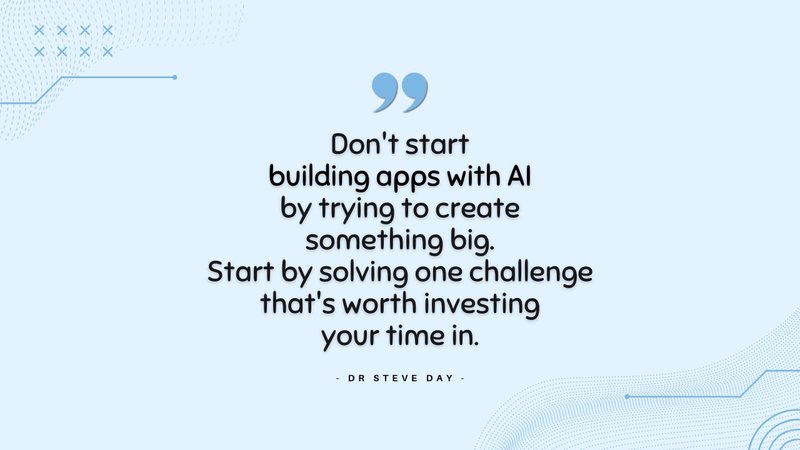
So I picked a challenge like this, which was something I didn\'t feel I could live without anymore, rather than just picking something random to have a go at. And therefore it was worth me investing the time into doing this. However, what I created wasn\'t just this standalone app. Because a lot of the learning, a lot of the hard work for me was to understand how to set all the pieces of the puzzle up so I could build apps in plural.
Now, if I wanna build a new app, Claude knows how the setup is done. It understands all the things that we learnt on the journey. It has a record of all that in its own memory files that we created at the time of doing it. Which means that now I wanna launch a new app, I can literally brainstorm that with Claude. Create a plan. It then reviews all the setup of how we did all this, and then I can literally just say, \"Go build this app.\"
And it will then launch itself to go and create the entire thing, set it all up in this virtual platform which I\'ll talk about again in a second. And it does it all for me without me having to know really how it\'s happening in the background. Because we\'ve done all the hard work from the beginning.
So before we jump in and have a look at the actual setup of how you do this for real, let\'s just have a look at the other apps I\'ve created. So firstly, I created a app that takes all of the meeting recordings that I do in Fathom. So Fathom AI is a meeting recording tool. There\'s loads of other ones out there Otter and Fireflies and things. It doesn\'t matter really which one you\'re using. But when those meetings are recorded in Fathom, it gets a transcript. And that\'s then grabbed by my app that I\'ve set up using Claude and then processed to put things into the right place.
So if it\'s a client coaching call, it gets processed and puts into the correct client file and all the learning points and the action points, and everything will got, grabbed from there. If it\'s a presentation I\'ve done, it\'ll grab that. If it\'s a podcast interview, it\'ll grab that and put it in the right place.
It\'s a backup for a lot of the work that we do in terms of knowledge. I can use that to create courses in my Circle platform as well via Claude. But it also allows me to then access, for example, all of the client stuff and create reports that I can then, helps me to coach better. I then thought, instead of just sending a client a PDF report, why not build a platform that displays those reports?
So the reports that are created by my Fathom recording processor. I can then publish to another app I created called My Client Hub. That has pages for annual reports, annual reviews, quarterly reports, any quizzes that we do, all the scorecards that we do to track progress. And that\'s now all in a self-hosted app that my clients can access by logging in.
I then created a tool to, or an app that replaced an existing tool that I was using in my business. The tool was called AdEvent. And it allows me to sync my calendar with my clients\' calendars. So I can put events on my calendar, and those selected events are then shown to the correct clients depending on their level of subscription. And then they can then see them directly in their calendar. When I make a change, it automatically updates it.
The app I was using was a bit clunky. It didn\'t really work all the time. And it actually required me to create training on how to use it and how to correctly move apps, calendar events, sorry. And if they were moved incorrectly, we end up with duplicates. So it wasn\'t quite showing correctly on the clients\' calendars. It was a bit of a mess. So I thought there must be a better way. And so I went and built my own version.
My own version, with the help of Claude, is way better than the old version I was using. It costs me nothing to run now because I\'ve got the infrastructure set up. Which cost pounds, pennies to run anyway, or a few pounds a month to run.
But it means it actually works exactly the way that I wished it worked. It syncs directly with my Circle platform. So it knows what events they should see. I don\'t have to do anything. I just literally pick up an event in my Google or add an event in Google. And it automatically syncs in about 15 minutes with my clients. Where previously it was taking up to two days to sync. And it was, as I said, clunky and not reliable. Whereas now it works 100% of the time. And whatever subscription they\'re on, it automatically syncs. I think it\'s really cool, and it solves a big problem I had.
The next thing I built and the last thing I\'m gonna discuss was a tool to get all the testimonials I\'ve ever had. Whether it was comments on Facebook posts or it could have been emails that are sent or WhatsApps. And I\'ve captured these over the years. They\'re either, typically they\'re images. They could be just text descriptions as well, like from an email or something. And I put them into folders in my Google Drive. But they just sat there. And I may use them from time to time if I\'m creating a webpage, I\'ll pull some out, whatever. But there was nowhere easy to maintain them, to display them.
And so I created a tool that creates like a, I think they call it like a wall of love, which I don\'t really like the term of. But maybe you\'ve heard that expression. It\'s like a wall that\'s shown like nicely on a webpage with all your different testimonials and screenshots and whatever it is. Like the WhatsApp screenshot or whatever.
And it allows you to then put them into a tiled version so it stacks nicely on the page and is fully responsive so it works on mobile or works on desktop and everything. And I\'ve seen these tools before. But they\'re pretty expensive. And they didn\'t have often the functionality I wanted. Which was to take my existing backlog and then put them on there and as, like evidence of all the cool testimonials I\'ve had in the past.
So again, I just decided, look, I\'ll just see if I can build my own, and it did, and it works perfectly. And I can now stick it onto any landing page just like, here\'s the proof that I actually, know what I\'m talking about, and I\'ve helped people in the past. And that\'s a really good way of doing social proof.
That\'s just a couple of the, or the apps I\'ve built so far. I\'ve got a few more in the pipeline. And I\'ll probably talk about those in future episodes once they\'re actually launched rather than going into them now just for saving a bit of time. And now I want to go through like how you actually set this stuff up.
This is the thing that was the biggest barrier to me actually doing it. What technology is required for you to actually set up a self-hosted app that runs without your computer needing to be on? So it doesn\'t matter if you switch it off or whatever, like the thing still runs in the background. And to do it securely and to do it so it only had to be done once or set up once. And once it\'s set up, I can just plug any number of apps into it.
So it\'s like an app server basically where a bit like your Google apps on your phone. But I\'ve created my own app server for my own personal apps that work in web browsers. And that\'s what I basically set up.
In order to understand what I\'m gonna talk about now, let me just define a few things. I\'ll obviously come back to these as we go through. But just to give you a clearance of the different words and terminologies we\'re gonna be talking about in the next few minutes.
So first of all, there\'s the VPS or Virtual Private Server. You can imagine this as your always-on PC. It\'s like renting a PC in the cloud. It\'s actually in a big data center somewhere. And it\'s just a portion of a computer stacked in a big shelf. It doesn\'t really matter where it is.
The point is that it\'s just basically a computer that never shuts down, that\'s always on. You manage it, you own it. It\'s just like having your own PC but in the cloud. Doesn\'t matter if you have a power cut, that one will still run. So it\'s really useful for doing things like running always-on apps.
The next thing is something called Docker. I\'d never heard of it before. But apparently it is how you package things up. So it\'s like a shipping container, if you like, that you basically gets everything that the app needs. Puts it into a box that can be then used by anywhere. It allows the platform to understand, okay, that\'s all the things that this app needs, this is where they are.
And I don\'t understand the technical details of how that exactly works. But I understand that that is how things are packaged in a such a way that they can be then read by the app server to actually make it all happen and go live.
I also use something called GitHub, which I started using just for using my Claude Code and actually saving files. And GitHub is like, a bit like a Google Drive or a Dropbox. But specifically used for coding. And it\'s very accessible to tools like AI and to web servers and things. So it\'s a great place to put all of the code and the files that need to be accessed in order for your app to run.
And the great thing is that when we\'ve got this set up, we can just use Claude to update those files automatically. So I can say to Claude, \"Hey, I wanna add a new feature to my app.\" So, say for example, my Client Hub that I mentioned. If I decide I\'m gonna create a new scorecard and I wanna display that on there, I can just talk to Claude. Explain what I wanna do, we go through the build process. And then I say, \"Right, publish to my app.\"
Claude then just updates those files that are saved in this GitHub. And then that automatically pushes them to my app server, and those changes go live in minutes. It\'s really cool to see happening, and it happens in real time as well.
The last thing, which is probably the coolest thing, is something called Coolify. And for me, this was under- like, the breakthrough which allowed me to not just do this once and set up one app, but to create something that I could use for any number of apps. It\'s basically like a building manager or a control panel for all of the apps on your server. And I had no idea, I\'d never heard of this before, and we actually built the app originally without this.
And then I started saying, \"Hey, I wanna do another app,\" and Claude actually suggested that we use this thing called Coolify. It basically sits there on your server, and you then build apps in what are called containers. And this is a great way to do it. Because it means that we can mess up one app or crash it by mistake or we mess up how it\'s working, and it doesn\'t affect any other apps.
So instead of having lots of computers and each one\'s really safe. And if one crashes, it doesn\'t affect any of the other ones. So in effect, it\'s like having lots of computers, but in one computer. And that means that, yeah, it\'s protecting each of the apps from each other.
Good for security as well because it means that if one app was to get infected or hacked, it can\'t then go and cross-hack other things on that computer as well. Because they\'re literally separate packages or separate containers, sorry, which then keep everything separate. That\'s my understanding of it, and that\'s what I believe is how it\'s all set up.
It\'s got for the bits that you sort of need to understand on a loose level, which is about DNS. So we need to tell the internet where to look for your app. And we do that through changing your DNS settings. I use Cloudflare for that. And I\'ve done an episode actually on Cloudflare, if you\'re interested. I think it\'s a great tool for managing your DNS.
And lastly, there\'s something called Caddy. Now, Caddy sort of sits as the gatekeeper to the webpages. When your web browser goes and says, \"Hey, show me Steve\'s app.\" Caddy goes, \"Which app are you looking for?\" And it points them to the right container on my web server.
So we\'ve got the, first of all, the VPS, that\'s the computer. We\'ve got the Coolify, which is where the containers, the apps are built. We\'ve got the Caddy, which is telling the internet where to find the app. And then we\'ve got Docker, which is sort of how you package up your app and give it to the Coolify to actually run.
So there\'s the concepts, the things you actually need to put in place. And there are other ways to do this. This is just one that I worked with Claude for quite a long time to build and get right. And it\'s pretty easy to do once it\'s set up, and it requires very little input from me to set up a new app. I have to go in and make a few little settings. It takes about, maybe about 5 to 10 minutes if that now for me to actually set up a new app. The rest of it can be done automatically by Claude in the background.
Okay, so once you\'ve got all of your infrastructure set up. And as I say, just talk to Claude. Get the transcript for this episode. Go to systemizeyoursuccess.com, get the transcript for this episode, upload that into Claude Chat and ask it to just help you build out the infrastructure I\'ve just described.
And once you\'ve got that set up, I recommend that you get Claude to create what I call the Coolify playbook. Or you could call it your app center playbook, whatever you wanna call it. And get it to document how everything is set up in detail. So in the end of that conversation, when you\'ve done all this setup, get it to say document everything needed for a new app to be added to your Coolify platform.
And therefore, whenever you go into the app building stage, you just reference that document and it\'ll know exactly how to set things up. And it\'s not trying to guess or figure things out going forward, and it keeps it really clean and it also reduces the amount of time to set, up new apps and then reduces mistakes.
So now we need to actually build the app. And then we need a recipe to make sure it\'s mixed together as in the Docker, so the Docker file, sorry. And that tells us, the Claude how to package it up so then it slots nicely into your existing setup. So when I\'m building the app itself, I will be going into the brainstorming mode in Claude Code. And going back and forth until we\'ve got a really good idea about what this app is and what the current scope is. Even scope out like what the future phases of this will be.
And if you\'ve listened to the previous episodes when I\'ve talked about phase planning and project management, that is essential here. So building apps, they never end. You can always add new features. You can always add new stuff to make them even better. So it\'s good to actually decide what is this current phase? Like what\'s the minimal we can get done to get something launched that\'s valuable? So what\'s that first phase and second phase and third phase gonna look like?
Once you\'ve got that nailed, you\'re then gonna get Claude to actually just build the app. You say, \"Great, go and have a look at this file that you need that I\'ve just talked about. About the how to set things up on your infrastructure. And build me the app.\"
When you\'re doing that, we don\'t wanna actually be publishing things straight away to this app. Because that takes a bit of time and you have to reboot it and it takes three or four minutes each time you wanna make any change. We can run the entire app in development stage on our computer. So Claude will set up what\'s called a local server.
You can then view your app in a browser and interact with it. Make sure it\'s working, test all the functionality, and once you\'re happy at, \"Yeah, now it\'s working the way I want it to,\" then you get Claude to create this Docker file thing. That packages it all up ready to be actually shipped.
It will then create all the, Claude, sorry, will then create all the documents it needs in GitHub, and post them all up there so they\'re ready to be accessed by your setup. And then you will then point Coolify, which is running on your Virtual Private Server, you\'ll point that at this Docker file in your GitHub. And it will then just basically download all that stuff, set it all up, and then boot then your new app.
You point the web at it. So you go into your DNS. You say, \"Hey, here\'s the name of my app.\" So for example, calendar app, calendar.yourcompany.com, if you\'re gonna do something like that. And you tell it the IP address, which Claude will tell you what it is. And then, that will then every time someone goes to that webpage, it will point them at your app on your server.
We then do a little check just to make sure that the Caddy, the gatekeeper, knows where to send that person when they arrive. Because you\'ve got multiple apps at the same IP address. And it\'ll say, \"Hey, this person\'s coming to look at my calendar. Go to that particular container,\" or that other container for something else. And that\'s it.
Once you\'ve got those things in place, you\'ve set things up, and you\'ve created your setup file, you just go through these five or six steps each time you wanna launch app. They are all done, well, not all of them. Most of them are done by Claude. There\'s a few little manual things to do each time, which takes me about 10 minutes.
The hard work is really in the brainstorming of what the app\'s gonna be like and making sure the plan looks all right and we\'re on track. And we\'re not doing too much feature creeping in the beginning. So we\'re not trying to build something too big to begin with. Start with something small. That\'s the hard thing.
Now, the actual infrastructure\'s all set up. I can literally do the launching of the app in minutes without me really doing anything much at all. So once you\'ve got this set up yourself, you can literally come up with an idea for an app. And within, well, it depends on the complexity of the app, of course, but you can get a working model of this out. You know, phase one done in however long it takes you to just to brainstorm the ideas with Claude.
Once you\'ve got that plan, you can just walk away and let Claude go away and actually build the whole thing. Come back and test it. You\'re happy with it. You ask it to then get it all live. It does all the live stuff. You spend 10 minutes connecting a few things together. And your app\'s live. It\'s absolutely awesome.
Something I never in a million years thought I would be able to do myself. I\'ve put off so many ideas over the years. Because I dreaded the idea of working with a development team that would cost tens of thousands of pounds. And they would end up probably overrunning in time and I\'d lose interest in it and I\'d just waste all that money. And that\'s exactly what happened the first time I tried to launch an app in the past.
Now I can do it myself. And I\'m not building like the next Facebook or anything here. I\'m just building really useful tools that myself and my clients can use. To improve the way we\'re working together or improve the security of my business by backing things up. Or to making things more efficient that don\'t get broken like the calendar app that I built.
And to me, that\'s real value. It\'s adding something that I couldn\'t otherwise have afforded to do. It\'s something that I\'ve become really excited about doing. I love doing it. It\'s now like a joy to be building this stuff. I don\'t have to do any coding anymore. Like one of the reasons I gave up coding is because you have to have such a high attention to detail in the past. And if you could just spell one thing wrong.
I\'ll tell you a story. So when I was doing my dissertation for my computing degree, I spent two days trying to decode my thesis, the program I\'d written. It was a huge program with 10,000 lines of code. I\'d written it over the whole year. And the only thing that was wrong with it is I had a capital letter in one of the names of one of the files and a small letter in the matching document. That it needed to be able to talk to each other.
I wasn\'t looking at the titles of the documents. I was looking in the code. And it took me two days to spot this. That, for me, was just the moment when I realized I don\'t wanna be a developer. Things have improved since then. There are many tools out to make it easier. But nothing that is in, as easy as to build stuff with AI nowadays.
So that\'s it. That\'s how I set up and build apps using Claude. If you\'re interested, I use Strato for my VPS. It\'s super cheap. But look at the ones that are local to where you live. I pay about something like $5 a month for my VPS, my Virtual Private Server. That\'s the only cost. All the other apps, so the Docker, the Coolify, GitHub, they\'re all free. And so the only cost then is the subscription of your AI that you\'re using to actually do the building for you.
I hope you found this interesting. I hope this has been inspiring to show you what is actually possible without any previous real experience in coding. I promise you I\'ve not written a single word of code. Or even read a single word of the code that has been written.
I\'ve gone through it in a human way, I\'ve talked to Claude, I use voice dictation for nearly all of it. So it\'s really rapid for me to do development. I look at it, I click on it, I take screenshots if it\'s not working, or I ask Claude to take screenshots automatically. And it will then go and test things out and figure out why it\'s not working and fix it for me. I don\'t need to know how it\'s done. I just wanna make sure it\'s done.
And I just wanna make sure it\'s done securely. So the way this is set up, it automatically gets things like SSL, which is like a secure connection on the internet. And other things besides to make sure it is actually secure. That\'s it.
Hope you found this inspiring. If you have, then please do remember to hit subscribe to follow along with my journey into the world of AI. And all the other things that I discuss around living with more purpose, presence, and peace. And creating a business that really serves you. Please do also share this with anyone you know who\'d be interested in learning how to set up cool apps in using your Claude or other AI. And yeah, that\'s it for now.
Thank you very much. See you next time.
VALUABLE RESOURCES
- Take action on this episode and build your own apps – head over to systemizeyoursuccess.com to grab the full transcript of this episode. Feed it straight into Claude to map out your infrastructure, create your deployment playbook, and start automating your business today!
- New to Claude? Go to sys.academy/tools to download and check out the app!
- Join our private, focused, and supportive community designed for freedom-driven entrepreneurs at join.sys.academy
Links to previous episodes mentioned:
- Episode about Cloudflare: Simplified DNS, A Faster Site, and Unlimited SSL For Free – What's The Catch?
- Episode about AI Project Management: How I Finally Stopped Losing Track When Managing Large AI Projects
CONNECT WITH THE HOST
- Podcast: https://www.systemizeyoursuccess.com
- Website: https://systemsandoutsourcing.com/
- Facebook Group: https://facebook.com/groups/systemsandoutsourcing/
- LinkedIn: https://linkedin.com/company/systemsandoutsourcing/
- Instagram: https://instagram.com/systems_and_outsourcing/
- YouTube: https://youtube.com/@drsteveday42
- TikTok: https://www.tiktok.com/@drsteveday42
ABOUT THE HOST
Steve moved to Sweden in 2015 and transformed the way he ran his businesses, switching to a fully remote model. A former NHS doctor with a background in computing and property investing, he now helps overwhelmed business owners systemise and outsource effectively. Additionally, through his courses and coaching, Steve teaches how to automate operations and work with affordable virtual assistants, freeing up time and increasing profits. He runs his UK-based businesses remotely with support from a team of UK and Filipino VAs. He is also passionate about helping others build scalable, stress-free companies using smart systems and virtual support.
For more articles related to using AI in business, you may also like:
How I Stopped Copy-Pasting Between Apps and Let Claude Run My Workflows
The Planning System That Stops AI From Adding to Your Workload