Published: 14 May 2026 · Last updated: 14 May 2026
Website management becomes effortless when your systems are simple, centralised, and built to support speed, security, and peace of mind.
You open the laptop.
You need to change one DNS setting.
Now the question: which provider is that domain on again?
GoDaddy? Fasthosts? Another one you can't quite remember?
Where did you save the login?
Two hours have gone by on what should have been five minutes.
I spent years like that.
A spreadsheet of dozens of domains across different hosts.
A web developer I paid to help – who I still ended up working around on weekends, because I needed things fixed now, not Monday.
Then I came across a free app called Cloudflare on a marketing course.
No affiliation. No plug.
I just use it every day.
One dashboard. One login.
Every domain I own, in one place.
I helped a client switch his DNS over the other day.
His site dropped for about ninety seconds, then came back live.
Seamless.
This week's podcast walks through how I use it, what else it does, and how to set it up in under five minutes.
Listen to the full episode – it might be the easiest hour you save this year.
KEY TAKEAWAYS: Website Management That Creates Simplicity And Control
- Centralise All Your DNS: Save time and reduce stress by pointing all of your domains’ nameservers to Cloudflare. All your DNS changes can be made in one simple, consistent dashboard, instead of having to remember how to do it across several hosting panels.
- Security and Potential For Cost Savings: Cloudflare bundles free SSL, DDoS protection, proxy-based IP masking, and other security tools that many hosts charge for, meaning there is the potential to both harden your sites and reduce recurring costs each year.
- Website Speed Improvements Directly Impacts Sales: Faster load times via Cloudflare’s CDN and caching reduce friction for visitors, which meaningfully boosts conversions and revenue.
BEST MOMENTS: Insights on Using Cloudflare for Website Management
00:24 – 💬 “ I have no affiliation with them, but I want to share it today, because it is awesome.”
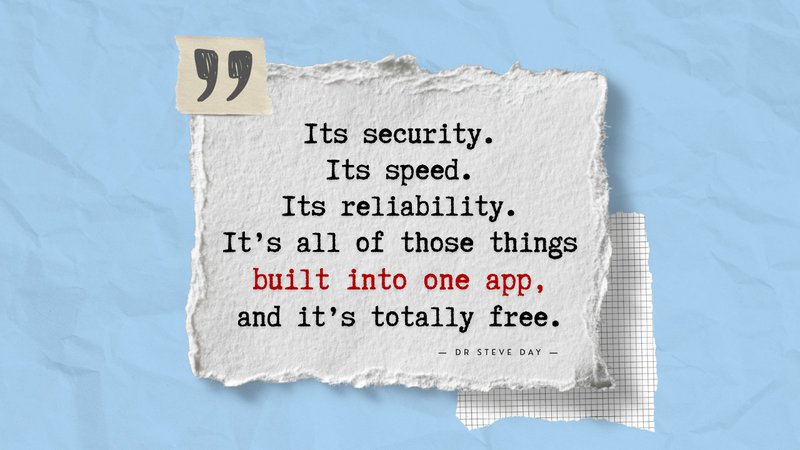
06:34 – 💬 “ You only have one login and one dashboard to deal with. That is absolutely priceless.”
10:45 – 💬 “ The website loads faster, and you get more sales as a result.”
11:43 – 💬 “ It will take you less than five minutes to put a website from where it currently is onto here.”
TIMESTAMPED OVERVIEW
00:00 Intro: Using Cloudflare for website management
01:00 Simplification and time saving
06:30 Cost savings and security
10:49 Performance and reliability enhancements
Episode Transcript
Please note: This transcript was generated using automated transcription tools and may contain typographical errors or inaccurately captured words or phrases.
Dr Steve Day: If you\'re like me and you own a bunch of domains, you\'ve purchased them to different providers, you can hardly remember the logins or where they\'re stored. In fact, I\'ve got a spreadsheet with everything on so I can actually remember all this stuff. I\'ve gotta remember multiple logins, multiple ways of doing this stuff. Is it through a cPanel? Is it through something else? I don\'t know. I\'m not a technical person like that. I don\'t wanna know.
Well, that\'s how it was before. And then I found an app called Cloudflare. I have no affiliation with them. But I wanna share it today because it is awesome. You get free SSL, free domain attacks protection, free content management system in the cloud, or CDN, sorry, Content Delivery Network, which means your websites are just faster. It protects you from so much stuff, makes your websites better. And did I mention it is totally free for most people.
Please listen in. This episode could change your life so much for the better. In terms of your technical faff around the whole management of DNS, website domains, DKIM, all that stuff that people love telling you need to do. And now there\'s a super easy way to do it. Listen in to find out more.
Okay, so back in the day, I had a spreadsheet with all of my dozens of domain names on there. Which company I\'d used to buy them from, where the DNS was hosted. It was all a bit of a pickle. And I had to remember how to log into them and where to find them. And sometimes just making a small change would mean I\'d have to spend hours figuring it all out.
I did end up having a web guy who helped me do much of this. But it was still his problem now, not mine. Somebody was still dealing with it, and I was paying for that. It also meant that it was just difficult to get stuff done. If I wanted to put a new webpage, say, on my CRM, I had to update the DNS settings. If I wanted to change where my emails are coming from for a subdomain, or does it create a subdomain in the first place.
I had to then go and log into the, wherever it was hosted, find the DNS settings, figure out on that particular platform how to do it all, and then change them. It often fell back on me because I just want it done there and then. Rather waiting for my web developer to wake up three days from now from the weekend and fix it there and in, you know, when the jobs already finished.
So I was the one that ended up often doing this, even though I tried to find support. That\'s when I actually went on a cool marketing course by a guy called Russell Brunson. And on there, one of the throwaway things that they mentioned when we were setting things up was go onto Cloudflare. Set it up, and then that\'s basically how you\'re gonna manage your domains going forward.
It was a simple thing to do. It took a couple of minutes to set up. I didn\'t understand why it was free. I actually paid for it at the beginning thinking I should pay for something because it sounds amazing. In the end, I canceled my subscription because there was no need to pay for this.
It\'s a totally free app, and it\'s designed to help protect your website. To make it faster and to allow you to manage it much more easily. I\'m gonna run through some of the top things that I use it for. There may be many others, but these are the ones I that specifically use it for on a regular basis. And it\'s made my life so much easier.
I\'m gonna start with the one that really pushed me to share this episode because it is awesome. And that is, when you have Cloudflare installed, it allows many other third party apps to talk to it directly without your involvement. That means that say you are setting up a new subdomain or you want to add a subdomain with eMAR capabilities, for example. And you wanna add, or you need to set up your DKIM settings, so you don\'t get spam flagged up and all the rest of it.
All these things we have to constantly do in the backend and DNS, there\'s now a super easy way. Sign up for Cloudflare and let your third party app, like you want your CRM for example. I use Go High Level, and that\'s that has this integration built in and many others do. You literally click a button, it says a automatically set up my DNS. It goes off, you log into Cloudflare through the window that pops up and it does it all for you.
It even like, deletes the old ones that aren\'t necessary anymore and changes things, so it\'s all perfect. And then minutes later it\'s live. It\'s not like with a typical DNS set-up where you\'ve gotta wait four hours or even 24 hours for it to propagate.
On the website, on Cloudflare, it does say you have to wait a few hours. I\'ve never waited more than five minutes. So maybe there\'s some, you know, edge cases where it will take a bit longer. But I did it with a client the other day, and it was on his main website. And he wanted to set up some subdomains inside his Go High Level account.
So we basically did all the DNS settings through this thing I was talking about, this native integration. So it was all instant and seamless. And his website went down. And he was like panicking, and I was like, just wait, just wait. Like literally, 90 seconds later, bang up again. Seamless, painless, and he was like, that\'s just amazing. Because of the faff he had to go through before. So that\'s really why I\'m sharing this because it makes it so much easier to do the stuff that we have to do.
Now I\'m gonna talk about a bit more of the techie stuff, which is super cool. And again, just to remind you, this is all for free. And you\'re probably paying a lot of money for some of these things. So if you\'re listening, you\'re gonna probably save yourself hundreds of pounds a year just by understanding why you should be using Cloudflare.
So firstly, the simplicity of your DNS management was one of the things at the top of my list when I first got Cloudflare. That was because I had different domains hosted with different people. I had to remember where they were. When I logged in, I couldn\'t remember where the DNS settings were. I\'d have to click around all over the place. Like I\'ve got, my website hosted on Kinsta. And I\'ve got domains on Fasthosts, and I\'ve got some on Big Daddy, or whatever that\'s called. GoDaddy, sorry.
And so each time I log into any of those to do anything, it\'s a different layout and I\'ve gotta remember how you find it. And it can take minutes, 10 minutes sometimes, to actually find them. However, you can simply go into Cloudflare, link your website. You have to update a couple of name servers, they\'re called. Takes literally a minute to do. And that\'s the last time you\'ll ever log into your parents or the hosting site ever again.
Cloudflare then manages everything from its end. And you only have one login and one dashboard to deal with. That is absolutely priceless. You can also add users onto the Cloudflare account as far as I\'m aware. And or you can share your password, obviously, if you use something like LastPass. So you can give people access, like your web developer access, if you need to.
They only need to have one access now, and therefore, you makes it hell of a lot easier for you to manage all that as well. And as I mentioned before, like when you make these changes, it happens instantly or in seconds. Rather than the hours or days that it comes sometimes take.
The next thing is the security. And this has a couple of massive benefits. One is just the security bit, and a second is the cost savings that come with it. So this is one of the key things you should be listening to. So, free SSL and HTTPS certificates for your website. So what that means in plain English is when you go to a web browser, it\'ll say \"S\" on the end of HTTP, and that\'s like saying it\'s secure.
And that\'s because it\'s got a SSL certificate. Now, if I\'ve got the technical bits about this a little bit wrong, forgive me. It doesn\'t really matter. The fact is you need one on every single website you own. And depending on your provider, you may be paying for this as a separate thing. Especially if you have multiple subdomains on a website.
So it\'s worth checking out if the Cloudflare that\'s available at the time you\'re listening to this has that option for free SSL certificates on all the websites it has on there. If it does, it could end up saving you money. I know for a fact, for me, when I was using Fasthosts, I was paying about 120 pounds a year for a domain wide SSL certificate. And another 70 quid or something a year for a single domain.
So I saved about 190 pounds per year on just that one hosting service by moving into Cloudflare. And those are my main websites. So, for doing absolutely nothing, I mean, for taking minutes, it was an easy thing to do. And that\'s every single year going forward. And there\'s no renewals. There\'s no expiries. It just happens in the background because it\'s hosted on there.
Again, just check your circumstances, make sure it\'s right for you. Don\'t take my non-technical word for this. I\'m not a web developer or a webmaster. But this is the stuff that I\'ve learned and do in my business.
Other things it does, it hides your IP address to make it harder to attack. It\'s got automatic DDOS protection. So that\'s basically when websites start hammering your websites to try and break it, and they can hack you in and steal stuff. It defends all that. There\'s even a button you can press on the dashboard that says, \"You\'re being attacked. Hit this button\". And it basically, shuts down your website the minute you get there.
And I just literally logged in as I\'m on this. So I was just looking for that button to save your website if you\'re under attack. And it\'s got a couple of new things. One is continuous script monitoring. So this is basically gonna make sure no one\'s hacking the code in the back of my site. Email address obfuscation, I can\'t say that word. But it basically takes off the email address so bots can\'t find it. And also the hot link protection, so people can\'t link to my images off site as well.
These things are all come for free. There\'s a bunch of other stuff I\'ve not even looked at. So you can go and dive into this as much as you want. And there is some cool stuff in here. So all that and lots and lots more.
Cool. It also, as I said before, and this is a really important one for you, if you are have a big website. You\'re delivering lots of content, maybe you\'ve got a blog. And this is one that actually makes a huge difference to sales.
So one of the things that I\'ve learned over the years is that the friction that people feel on your site, loading speeds is one of the big things. Well, is a big factor to determine if they\'re gonna buy from you. So if your site fails to load fast, then there\'s a good chance that it\'s gonna have a negative impact on your sales.
With Cloudflare, you get what\'s called CDN or Content Delivery Network. Which means that the, I understand it in my semi-technical brain, that basically it allows your website to be delivered from different places around the world. Forgive me if I\'m wrong. But it means it delivers faster and that\'s all that we really care about.
It also caches website content locally to reduce the host, reduce the demand on the servers, which then speeds up the loading as well. Again, I might have the technical things a bit wrong. All you care about is the website loads faster and you get more sales as a result. That\'s what\'s good.
And a couple of final things. It\'s a highly reputable, highly trusted site. You can do your own research on it. But it\'s, I think five out five stars on everything I\'ve ever seen. I have never had any problems with it, and nobody I know who uses it has.
It also means, one last thing, that if your site ever goes down for any reason, instead of just getting a 404 error, you can actually automatically put on a nice message. To maybe redirect them to somebody else. Or, just say, you know, we\'ll be back soon, gone for a coffee. Or whatever you want.
And that\'s again, something that can be done at the DNS level. So it\'s like, it doesn\'t matter what happening to your hosting element, this is gonna happen right at the very sort of base level if you like. So, definitely worth having a look at as well.
And finally, if you are not convinced, if you think this sounds too technical, it genuinely isn\'t. It will take you less than five minutes to put a website from where it currently is onto here. It does not affect your hosting. It doesn\'t affect, say if you\'re on Kinsta, for example, or you\'re on GoDaddy, it doesn\'t affect where the site\'s hosted. There\'s no like migration of your WordPress site and your image. Nothing changes.
All that changes is what we call your name servers. That means when the browser, say a Google browser or a Chrome, whatever, looks for your website, it will go and find Cloudflare, first of all. And Cloudflare will tell it where to go and find your website. It\'s like a bridge between you and the host. But that bridge is all of these things we\'ve just described. It\'s security, it\'s speed, it\'s reliability, it\'s all of those things built into one. And as I said before, it\'s totally free.
Go and check it out for yourself. If you head over to sys.academy/tools, you\'ll find a link to Cloudflare, and if I do happen to find a discount code, I\'ll put it on there for you. And there you\'ll also find a bunch of other cool tools and apps that we use and recommend.
And remember, we only recommend apps on this site that I use every single day, I believe in, and I believe it can benefit other people. So check them out. And also, please do remember to hit subscribe, so you don\'t miss out on any future cool app recommendations like this and many more besides.
Have a lovely day.
VALUABLE RESOURCES
Go to sys.academy/tools to check out how amazing Cloudflare is yourself – also check out other cool tools and apps that we use and recommend.
LINKS TO CONNECT WITH THE HOST
- Podcast: https://www.systemizeyoursuccess.com
- Website: https://systemsandoutsourcing.com/
- Facebook Group: https://facebook.com/groups/systemsandoutsourcing/
- LinkedIn: https://linkedin.com/company/systemsandoutsourcing/
- Instagram: https://instagram.com/systems_and_outsourcing/
- YouTube: https://youtube.com/@drsteveday42
- TikTok: https://www.tiktok.com/@drsteveday42
ABOUT THE HOST
Steve moved to Sweden in 2015 and transformed how he ran his businesses—switching to a fully remote model. A former NHS doctor, with a background in computing and property investing, he now helps overwhelmed business owners systemise and outsource effectively. Through his courses and coaching, Steve teaches how to automate operations and work with affordable virtual assistants, freeing up time and increasing profits. He runs his UK-based businesses remotely with support from a team of UK and Filipino VAs. He is also passionate about helping others build scalable, stress-free companies using smart systems and virtual support.
For more articles on business tools and apps that we use and recommend, you may also like:
This Free AI Speech-to-Text App Is Saving Me 40+ Hours a Year…
How to Back Up Your Task Management App (and the Simple Tool I Use: ProBackup)