A lot of AI builds go wrong before they’ve even started. Two AI project planning steps get the job clear first and save you hours.
The first few times I built something with AI, I did it all in one long conversation.
Ask, tweak, ask again.
And the longer it ran, the stranger it got.
It forgot things I'd told it near the start.
It wandered off on tangents.
Some afternoons I got to the end with less than I'd have built myself, and I'd been at it for hours.
That's the trap of one long back-and-forth that forgets half of it.
Then I worked out what was going on.
AI is like the most eager employee you've ever had.
It wants to show you how good it is, so it cracks on before it properly understands the job.
You'd never let a person do that.
You wouldn't turn to someone on their first day and say, “Can you just build me this?” and hope for the best.
You'd sit with them first.
Talk it through.
Get clear on what you're actually after.
Then let them go.
So now I do the same with the AI.
I plan the job before it builds a thing.
I read something that stuck with me.
The effort curve for this kind of work is a “U”.
High at the start while you brief it properly.
Almost nothing in the middle while it does the work.
Then up again at the end while you check what it's done.
Most people live in the middle of that U, wrestling with it the whole way.
The work is meant to be at the two ends.
There are two specific things I do before I let it build anything now.
One gets it clear on what I'm after.
One turns that into a plan I can read and change before a single thing is made.
Have a listen – I'll take you through both, and where each one goes.
KEY TAKEAWAYS: AI Project Planning – Brainstorm, Review the Plan, Then Let It Build
- Stop Long, Rambling Chats with AI: Don’t waste time going back and forth in one long conversation. The longer a chat runs, the more the AI loses track, forgets things and starts making things up.
- Use Brainstorming Mode First: Use brainstorming and planning modes right at the start. This lets the AI interview you, so you align on the vision and the exact problem before it builds anything. In Claude Code, Plan Mode is built in, and brainstorming comes with the Superpowers plugin.
- Review the Plan Before It Builds: Always take the time to read through the AI's generated development plan to catch missed ideas, check its understanding of your terminology, and ensure that you and the AI are genuinely aligned.
- Follow the U-Shaped Effort Curve: Put your effort in upfront while you brainstorm and plan, and let it drop to almost nothing while the AI does the work. Pick it back up at the end to review and test what it’s built.
BEST MOMENTS: AI Project Planning in Practice
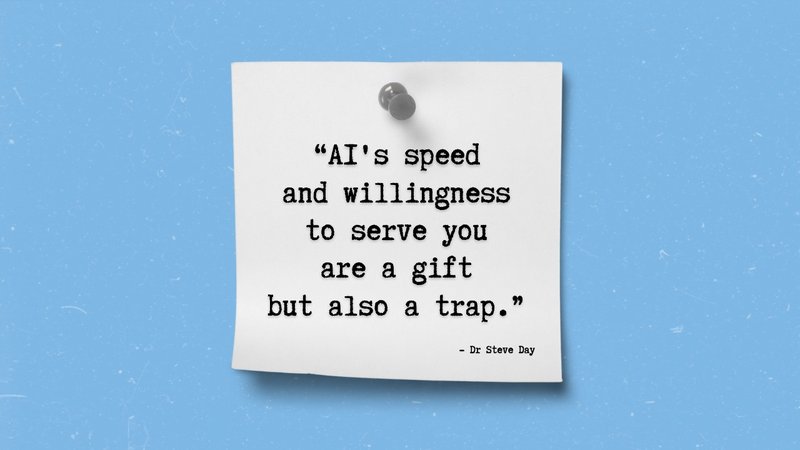
03:02 – 💬 “AI's speed and willingness to serve you is a gift, but also a trap.”
05:23 – 💬 “When the context (working memory) fills up in any single chat, Claude starts hallucinating. It starts forgetting stuff, just like a human would if you just keep bombarding them and don't have any structure behind it.”
09:09 – 💬 “This is a far, far more efficient way of using your time and the AI's tokens than doing it any other way I've seen.”
10:24 – 💬 “The more you plan, the less you fail, the fewer mistakes you make. Therefore, the quicker you get to the end result you actually want.”
TIMESTAMPED OVERVIEW
00:00 Intro: Planning and managing AI projects
04:28 Brainstorming and planning in Claude
07:49 Understanding and Revising Plans
11:13 Efficient project planning with AI
Episode Transcript
Please note: This transcript was generated using automated transcription tools and may contain typographical errors or inaccurately captured words or phrases.
Dr Steve Day: When I first started using AI to build anything complex, and by that I just mean literally anything that was more than just asking it a question, I would often spend a long time going back and forth in the same conversation. Trying to figure something out, trying to fix something, trying to actually just make it work.
What I found, though, is the longer those conversations got, the more the conversation would take weird turns. It would forget half of what I said or go on a strange tangent and just lose the track completely. It was so frustrating, and it wasted so much time.
What I didn\'t know back then that I know now is two simple steps that we should always do before going into anything more than just a simple task with AI. That makes sure you use your time as effectively as possible. And make sure the AI does what you want it to first time.
This also saves a lot in terms of tokens, which is especially useful if you\'re on a lower budget plan or you\'re a heavy user of AI.
Welcome to Systemize Your Success. I\'m Dr Steve Day. Today, I wanna share one of the greatest lessons I\'ve learned the hard way about using AI. You see, AI is like the most eager employee who just wants to show how good they are and just to crack on with stuff. They\'re impatient, and they don\'t wanna wait around. They wanna show you the result even before they really know what the problem is they\'re trying to fix.
So if you\'re not careful and you just speak to AI and say, \"Hey, this is the thing I\'m trying to build,\" it will often just jump straight in and try and give you a solution. But there\'s a better way of doing it. And it\'s similar to the way you would use or work with a new human being in your business or on a new project even.
You wouldn\'t say to a human, \"Hey, can you just build me XYZ?\" And then hope they just get it right. You would do some planning, you\'d do some brainstorming. And then you\'d create a plan together that allows you to align your thinking. To make sure that, yes, what they\'re gonna go away and spend in human terms, hours and hours doing. Or in AI terms, thousands of tokens doing, will actually produce the result that you\'re looking for.
Doing this planning up front using these couple of specific tools that are built into Claude, and I\'m sure there\'s similar things in any other AI platform that you use, saves you hours of going back and forth and fixing stuff. It also removes one of the biggest problems I\'ve seen with using Claude or anything complex. Which is that the context fills up very quickly if you\'re not careful.
And as the context fills up, there\'s proof to say that the accuracy of the results that it will give you and the accuracy of its retention of information drops off a cliff. So we\'ve gotta try and keep the context that is, the amount of sort of working memory that we\'re using within Claude or whatever AI tool you\'re using. That we need to keep that to a minimum so that it\'s as accurate and as efficient as possible.
So AI\'s speed and willingness to serve you is a gift but also a trap. We\'ve gotta put those reins on, we\'ve gotta make sure we\'re aligned, we\'ve gotta do this in an efficient way. So when it kicks off, it goes away and builds exactly what you want. And when you now come back to actually see the results, you\'re just tweaking and verifying and correcting. You\'re not just carrying on this conversation of development.
So before I jump in and tell you the exact steps that I use before I kick off any project in Claude Code, I just wanted to define two essential terms here.
Firstly, we have Brainstorming, and secondly, we have Plan Mode.
So firstly, Brainstorming. This is a skill developed by Anthropic, so the developers of Claude itself. And it\'s part of the Superpowers plugin. So if you haven\'t already installed the Superpowers plugin, I recommend you do it. And it\'s got some other cool skills as well.
And that Brainstorming skill, which you can invoke by just saying, \"Hey, I want to brainstorm this idea,\" or something similar, or \"Work through this idea with me.\" It should pick up that you want to go into Brainstorming Mode.
You can invoke it directly by doing a forward slash slash command for Brainstorming. But anyway, you just want to basically get it started into Brainstorming Mode. It will then go back and forth with questions to make sure you\'re on the right track before you flick into Plan Mode.
Now, Plan Mode is where, before Claude goes and builds anything, it will go through and develop a plan. It will ask you any clarifying questions it needs. And it will present you with that plan, a full development plan of whatever you\'re doing. This may seem like an overkill for some projects. But I would recommend that, pretty much anything you do in Claude Code, you do this.
It takes a few minutes extra of your time. But it will save you many hours of frustration and wasted tokens and wasted effort down the line. Because you\'ve agreed upfront and brainstormed and planned exactly what it is that Claude\'s gotta go away and do.
It also saves a huge amount of tokens. Because you\'re doing all of this thinking without going back and forth with new messages. You are reducing the amount of context you\'re using in your chats. This means you are less likely needed to move your conversation into a new chat. So it keeps it easier to keep the conversation going for longer.
And also because you\'re reducing that context, you reduce the context rot and also the drift. And these are two very well-documented problems when the context fills up in any single chat. Claude starts hallucinating, it starts forgetting stuff, just like a human would if you just keep bombarding them. And don\'t have any structure behind it. So this Brainstorming Planning is how we actually get around that.
So really, simply how we do this is to simply start a new conversation with Claude and ask it to switch into Brainstorming Mode. And then tell it what your idea is and ask it to basically quiz you. To ask you anything that it needs to know in order to understand what you\'re trying to build.
Here we are just getting on the same page. We\'re doing that initial meeting with your project manager or your new staff member. And we\'re just bouncing ideas. We\'re trying to make sure there\'s a clear common understanding about what the problem is, what the solution\'s gonna be.
It\'s not about putting the steps in place yet, about thinking about what the plan is gonna be. It\'s just getting a very clear understanding that we are both on the same page with this. And we\'re actually gonna create something at the end of this that is in line with what your vision for this particular project is.
Once it\'s done that and it\'s interviewed you, gone back and forth, five, 10 minutes maybe, we\'ll then switch into Plan Mode. You can invoke this manually, on Claude Code on the keyboard. You just do Shift and Tab to change it to Plan Mode. But Brainstorming will- should automatically switch into Plan Mode, if it\'s a type of project that needs planning.
And then it will then take you through the Planning Stage. That Planning Stage, it will ask you further clarification to ensure that it has got the plan completely right. Brainstorming creates the handover into the plan. Plan then formalize that into everything that it\'s gonna actually do. You can then read through that.
And I recommend that you actually start learning how to read those. The first time you read them, it looks quite technical. There\'s a lot of stuff in there that you might not understand. But the more you read them, like with anything, the more you start to get familiar with the terminology. And what it actually means when it says stuff.
It\'s a bit like if you\'re investing in stocks and shares and you wanted to read the financial report for a company. If you\'ve never read one before, a lot of it doesn\'t make sense. But the more you read them, the more you start understanding what it means. And therefore you can be confident in investing your money in that company.
Here, we\'re investing time, we\'re investing tokens. And so understanding how those plans are structured and being able to actually interpret what it means is a useful skill to develop.
You don\'t need to understand it all to get started. But if you don\'t ever start looking at them and reading them through, you\'ll miss stuff. And you\'ll often see things which you thought you\'d explained, you thought was clear. And with Brainstorming, this is less likely to happen.
But even then, you may obviously see something that doesn\'t actually make sense. Or you may actually by reading it realize, \"Oh, I\'ve missed an idea. There was something else I wanted to tell it about.\" And then you\'ve got the opportunity to revise that plan.
Now, revising the plans, which is what I used to do, I didn\'t use to do Brainstorming before I learned about it, I just used to use the Plan Mode. Now, revising the plans is quite a time-consuming thing. Every time you tell it any update, it then rewrites the whole plan.
And so that can actually take a few minutes in cycle time. Whereas Brainstorming is really rapid. It\'s like brainstorming. It\'s you ask it a quick question, you give it the answer. Ask it a quick question, it gives you the answer. And it starts building up the picture.
So sticking in Brainstorming Mode as long as you can. And even asking it to summarize what the intent of the plan is before it goes into Plan Mode is a really helpful thing to speed up the development process. Then once you\'ve agreed on your plan, you\'ve read it, you think that\'s great, you can put Claude into Auto Mode and ask it just to get on with it.
It\'s now got a really structured step-by-step plan covering all of the detail and the complexity and all the things it\'s gonna build and connect together. And it makes sure that it all works at the end. It also will deliver the thing you think it\'s gonna deliver because you\'ve already agreed what it\'s gonna do.
This is a far, far more efficient way of using your time and the AI\'s tokens than doing it any other way I\'ve seen. This is not something I\'ve made up myself. This is something that I\'ve tried and tested. I\'ve learnt the hard way, unfortunately. But I\'ve also seen lots of other great AI coaches out there who have been talking about this.
And one concept I read recently in one of the groups, something called Cliff Notes, was about this concept of the U-work effort. That is the human\'s effort is in a U shape. It starts off high. We then hand over, if we do it effectively like this using Brainstorming and Planning. We hand it over, and our effort goes to almost zero.
Then when the actual thing is finished, our effort goes back up to review, and test and verify anything it\'s created. So if it created a new webpage for you or a new app, you would then wanna go and test that and make sure it actually works. That\'s your effort going back in. So a bit of effort up front, no effort in the middle or very little, maybe accepting a few permissions or something. And then a bit more effort at the end.
But the whole time it takes to do that is now condensed massively. Because it\'s actually doing it in a very logical, very structured way. Just like you would do with a human. You plan first. The more you plan, the less you fail, the less mistakes you make. Therefore, the quicker you get to the end result you actually want.
So the next time you kick off a project, just remember those two things. Firstly, ask it to go into Brainstorming Mode. You can do it explicitly, or you can just talk to it, and hopefully it\'ll pick it up. If it doesn\'t, hit that escape key and ask it to kick off Brainstorming. It will say, \"Going into Brainstorming Mode,\" and then you know you\'re in the right place.
Then, when you\'ve actually done that Brainstorming, review the plan. Then go into Planning Mode. It will then create that full plan for you. Do take the time to review that plan before hitting go. And then hit go and let Claude do its magic, or whichever AI tool you\'re using.
And that\'s it. That\'s how I have drastically reduced the amount of time spent actually planning and working on projects in Claude. And also increased massively the results or improved the results that I actually get. And I\'m now getting far better outcomes in far less time with far less frustration and at far lower token costs as a result.
Hopefully this has been helpful for you. If it has, please do remember to hit subscribe to learn more cool ways to use AI automation. And other things to live with more presence, purpose, and peace. And do share this with anyone you know who\'s interested in this kind of stuff.
Thank you so much.
VALUABLE RESOURCES
- New to Claude? Go to sys.academy/tools to download and check out the app!
- Join our private, focused, and supportive community designed for freedom-driven entrepreneurs at join.sys.academy
LINKS TO CONNECT WITH THE HOST
- Podcast: https://www.systemizeyoursuccess.com
- Website: https://systemsandoutsourcing.com/
- Facebook Group: https://facebook.com/groups/systemsandoutsourcing/
- LinkedIn: https://linkedin.com/company/systemsandoutsourcing/
- Instagram: https://instagram.com/systems_and_outsourcing/
- YouTube: https://youtube.com/@drsteveday42
- TikTok: https://www.tiktok.com/@drsteveday42
ABOUT THE HOST
Steve moved to Sweden in 2015 and transformed the way he ran his businesses, switching to a fully remote model. A former NHS doctor with a background in computing and property investing, he now helps overwhelmed business owners systemise and outsource effectively. Through his courses and coaching, Steve teaches how to automate operations and work with affordable virtual assistants, freeing up time and increasing profits. He runs his UK-based businesses remotely with support from a team of UK and Filipino VAs, and is passionate about helping others build scalable, stress-free companies using smart systems and virtual support.
For more articles related to project planning and using Claude in your business, you may also like:
The Planning System That Stops AI From Adding to Your Workload
How I Stopped Copy-Pasting Between Apps and Let Claude Run My Workflows